Introduction
UI and UX are often used interchangeably, but they solve very different problems in digital product design. The familiar explanation UI is what users see, while UX is how the product feels to use—is a useful starting point, but it does not tell the whole story.
The distinction matters because confusing UI and UX can create real product problems. A visually impressive application may still frustrate users if its navigation is unclear, workflows are complicated, or important actions are difficult to complete. On the other hand, a well-structured product can still struggle to build trust and engagement if its interface feels outdated or inconsistent.
Strong digital products bring both disciplines together. UX defines the experience, structure, and journey, while UI transforms that experience into an intuitive and visually engaging interface.
And as AI becomes increasingly integrated into design workflows, the relationship between UI and UX is evolving. AI can accelerate parts of visual production, but understanding users, identifying friction, and making thoughtful product decisions still requires deeper UX thinking.
What Is UX Design?
UX (User Experience) design focuses on the complete experience a person has while interacting with a digital product.
Rather than concentrating primarily on appearance, UX asks questions such as:
Can users understand what to do? Can they complete their goal efficiently? Where are they getting confused or frustrated?
A UX designer studies user needs and behavior, identifies friction within the journey, and structures the product so users can accomplish their goals with as little unnecessary effort as possible.
UX therefore considers areas such as usability, accessibility, information structure, navigation, user flows, performance, and overall satisfaction.
Core UX activities typically include:
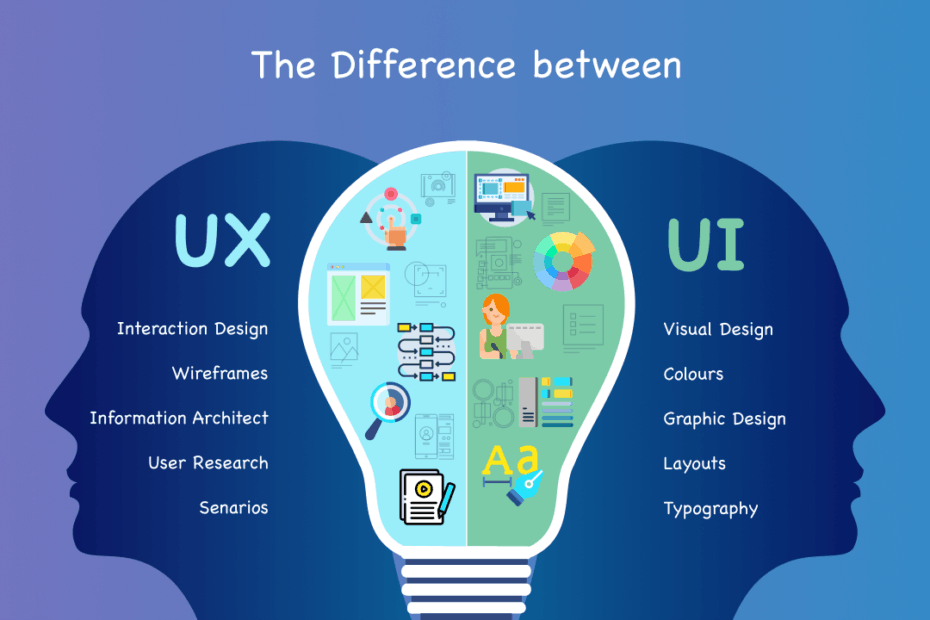
User research - understanding user needs, expectations, motivations, and problems through interviews, surveys, observation, and behavioral data.
Information architecture - organizing information and navigation so users can find what they need without unnecessary complexity.
Wireframing and prototyping - planning layouts, interactions, and user journeys before investing heavily in visual design.
Usability testing - observing how people interact with a product and identifying friction based on actual behavior rather than assumptions.
The term “user experience” is closely associated with cognitive scientist Don Norman, whose work emphasized that experience extends beyond an interface to the broader relationship between a person and a product..
What Is UI Design?
UI (User Interface) design focuses on the visual and interactive layer through which users interact with a digital product.
It includes elements such as buttons, typography, colors, icons, menus, forms, spacing, layouts, animations, and interactive states. UI designers make sure these elements work together consistently and communicate clearly.
The distinction can be understood simply:
UX determines how the experience should work. UI determines how that experience should be visually presented and interacted with.
Consider designing a house. A UX designer is similar to the architect deciding where rooms, doors, and pathways should be placed so people can move naturally through the space. A UI designer is closer to the person determining the finishes, colors, fixtures, and visual details that make that environment attractive and coherent.
UI vs. UX Design: Side-by-Side Comparison
| Factor | UX Design | UI Design |
|---|
| Primary Focus | Complete user journey and experience | Visual and interactive interface |
| Core Question | Does the product work logically for users? | Does the interface look clear and consistent? |
| Key Activities | Research, information architecture, wireframes, user flows, usability testing | Typography, colors, layouts, icons, components and interactive states |
| Success Measures | Usability, task completion and user satisfaction | Visual clarity, consistency and aesthetic quality |
| Typical Deliverables | User flows, wireframes, prototypes, journey maps and research insights | High-fidelity designs, design systems, component libraries and style guides |
| Simple Analogy | Architect designing the structure | Interior designer refining the visual experience |
The table makes the distinction clearer, but modern product development is increasingly making the boundary between these roles less rigid.
Why the Line Has Gotten Blurrier
The strict UI/UX split assumed by textbook definitions has been eroding for a while, and this trend has accelerated recently. Most startups and mid-sized companies can't afford to hire a dedicated UX researcher, a dedicated information architect, and a separate UI designer so in practice, one person or a small team increasingly handles both disciplines end to end. This doesn't mean the distinction stops mattering; it means the same person now needs fluency in both the structural thinking of UX and the visual execution of UI, rather than specializing narrowly in just one.
The result is a more integrated approach:
Research → User Journey → Wireframes → Prototype → UI Design → Testing → Iteration
Rather than treating UI and UX as isolated stages, strong product teams continuously move between them.
The New Factor: How AI Is Reshaping the UI/UX Split
This is the part of the conversation that's genuinely changed recently, and it's worth understanding even if you're not a designer yourself. AI design tools have made producing polished visual interfaces dramatically faster some teams report cutting interface design timelines from roughly two weeks down to a few days using AI-assisted workflows. That shift has a real consequence: pixel-perfect visual polish, which used to signal real design craftsmanship, increasingly signals baseline competence instead, since AI tools can now generate clean, consistent UI relatively easily.
What AI is far worse at replacing is the UX side genuine research, understanding why users behave the way they do, structuring a product around real intent rather than assumption, and making judgment calls about what a system should do next. As visual production becomes commoditized, the differentiating value in a design team is shifting toward that structural, research-driven layer understanding the user's actual goal, not just rendering an attractive screen. Practically, this means design leadership at many companies is now spending relatively more of its hiring and time budget on UX research and product judgment, and relatively less on pure visual execution, compared to a few years ago.
Why UI and UX Still Matter Equally
The increasing role of AI doesn't change the fundamental relationship between UI and UX.
Consider two extremes.
Excellent UX + Poor UI
A product might be logically structured and easy to navigate, but if the interface looks inconsistent, outdated, or visually confusing, users may struggle to trust it or enjoy interacting with it.
Excellent UI + Poor UX
A product might look impressive in screenshots but become frustrating once someone actually tries to use it. Confusing navigation, unnecessary steps, unclear actions, or poorly structured information can quickly overshadow visual polish.
This is why successful digital products don't choose between UI and UX , They combine them.
Together, they make the product effective.
Common Misconceptions Worth Clearing Up
"UI and UX are basically the same job." They solve different problems at different layers — treating them as interchangeable when hiring is a common and costly mistake, often leading to delays and mismatched expectations.
"A good-looking product automatically has good UX." Visual polish and usability are not the same thing; a beautiful interface can still be confusing or frustrating to actually use.
"UX is just wireframes and research; it's not creative." UX work is as much an art as UI work — it involves genuine judgment about flow, priority, and what a user needs at each step, not just structured process.
Conclusion
UI and UX aren't competing disciplines they're complementary layers of the same product, and confusing the two leads to real, avoidable problems in both hiring and execution. UX determines whether a product actually works for the person using it; UI determines whether that work feels intuitive and inviting enough to stick with. As AI tools continue to accelerate the visual production side of design, the genuine differentiator between good and great products is increasingly the UX layer the research, structure, and judgment that AI still can't fully replace. Products that invest in both, rather than treating one as a nice-to-have on top of the other, are the ones that consistently earn user trust and long-term engagement.